 Kise
Set up Kise on iPhone.
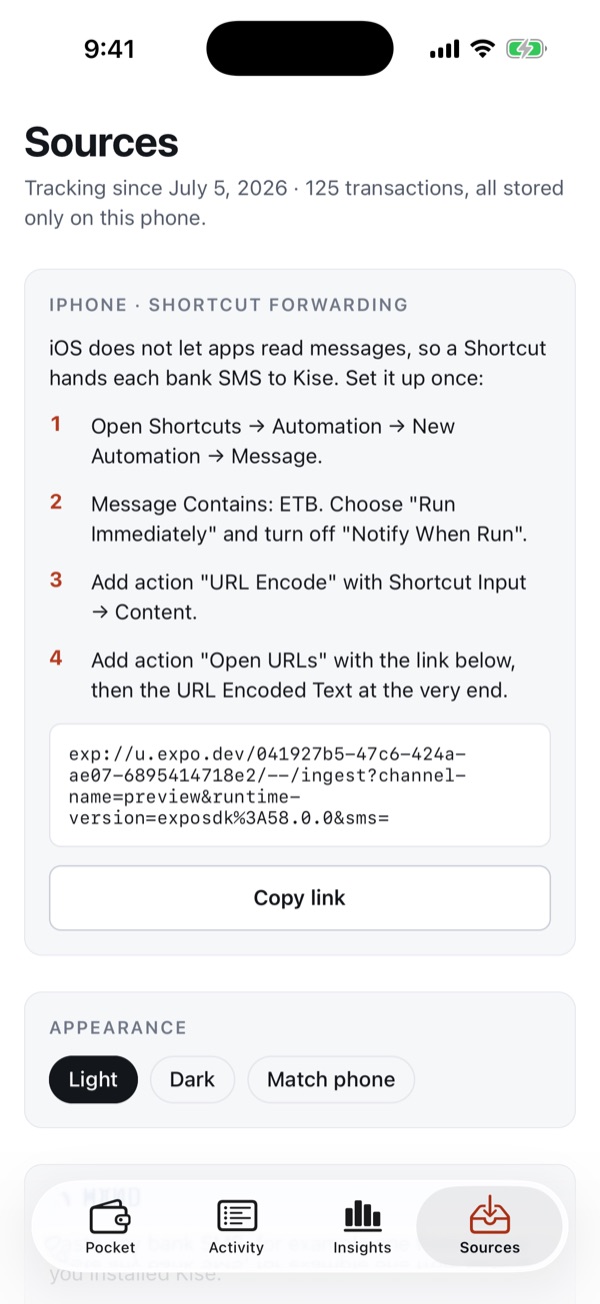
iOS does not let any app read your messages. A Shortcut can, and it hands each bank SMS to Kise in the background. You set it up once.
-
Have Kise on your iPhone
These steps use the Kise app itself. Running Kise inside Expo Go? Use the Expo Go steps further down.
-
Create a message automation
Open the Shortcuts app. Go to Automation, tap + and choose Message.
-
Only bank messages, no prompts
Set Message contains to ETB. If an empty Sender filter is there, remove it: iOS keeps the automation off until it is filled or gone. Pick Run Immediately and turn off Notify When Run.
-
Add the Kise action
Search for Kise and add Save bank SMS to Kise. Tap Message in it, choose Shortcut Input, then Content. That is the only action you need.
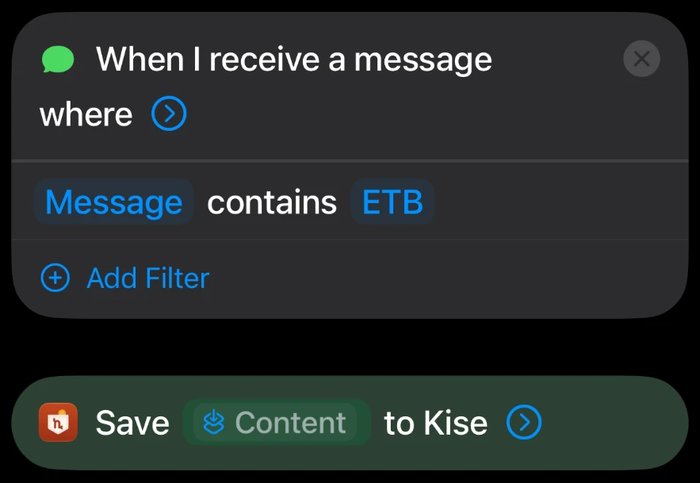
The finished automation. No search result for Kise? Restart the phone once. -
That's it
Each bank SMS is saved in the background. Kise stays closed and you stay in the app you are using, so a payment screen you are showing a customer stays on screen. The transaction is in Pocket the next time you open Kise.
Tapping ▶ to test shows "Kise is connected": a test run has no SMS, so it saves nothing.
Good to know
Running Kise in Expo Go?
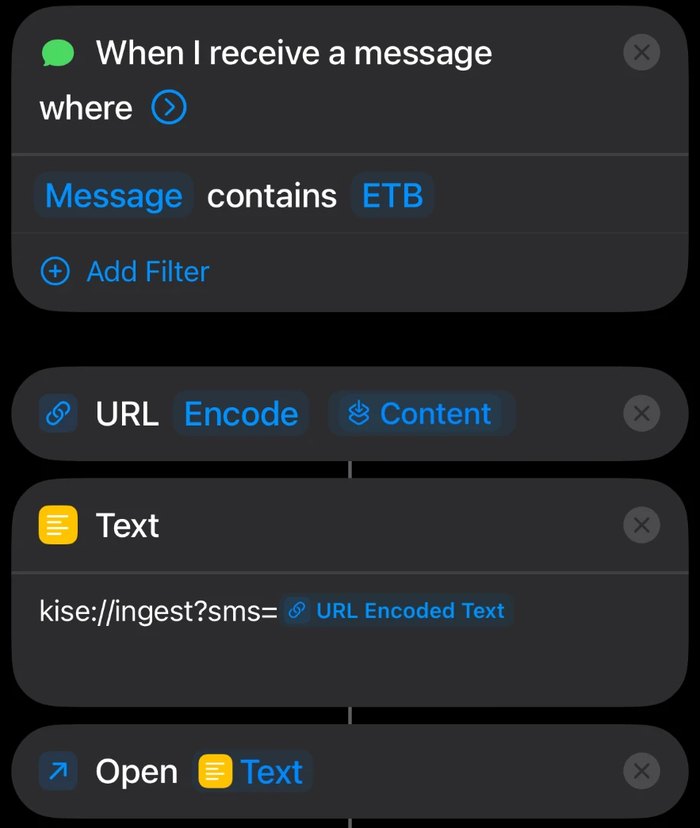
Expo Go cannot add the Kise action, so the Shortcut opens Kise with a link instead. Kise comes to the front for a moment for each bank SMS.
- Create the automation as in steps 2 and 3.
- Add URL Encode. Tap its input, choose Shortcut Input, then Content.
- Add Text and paste the link below. With the cursor right after sms=, tap URL Encoded Text above the keyboard.
- Add Open URLs. It picks up Text on its own. Do not tap its +.
exp://u.expo.dev/041927b5-47c6-424a-ae07-6895414718e2/--/ingest?channel-name=preview&runtime-version=exposdk%3A58.0.0&sms=
Which iOS version do I need?
iOS 17 or newer. Older versions ask you to confirm every time the automation runs, so it is not hands-free.
What about messages from before I installed Kise?
The Shortcut only sees new messages. For older ones, copy the SMS from Messages and use Sources, then Paste an SMS in Kise. Duplicates are ignored, so pasting one twice is safe.
Will it save personal messages that mention ETB?
No. Kise checks every message it is given. Anything that is not a completed bank or wallet transaction, such as a chat or a failed payment, is shown as "Not a bank transaction" and not saved.
Kise opens but says "No launchable updates" or shows an error.
This only happens in Expo Go. Update Expo Go from the App Store, then open Kise again from the download page. Also check the link in the Shortcut matches the Expo Go link, with nothing missing before sms=.
Can I test it without waiting for my bank?
Yes. Copy any bank SMS you already have and paste it in Kise under Sources, then Paste an SMS. You will see exactly what the Shortcut would save.